Close
Back to Top ↑
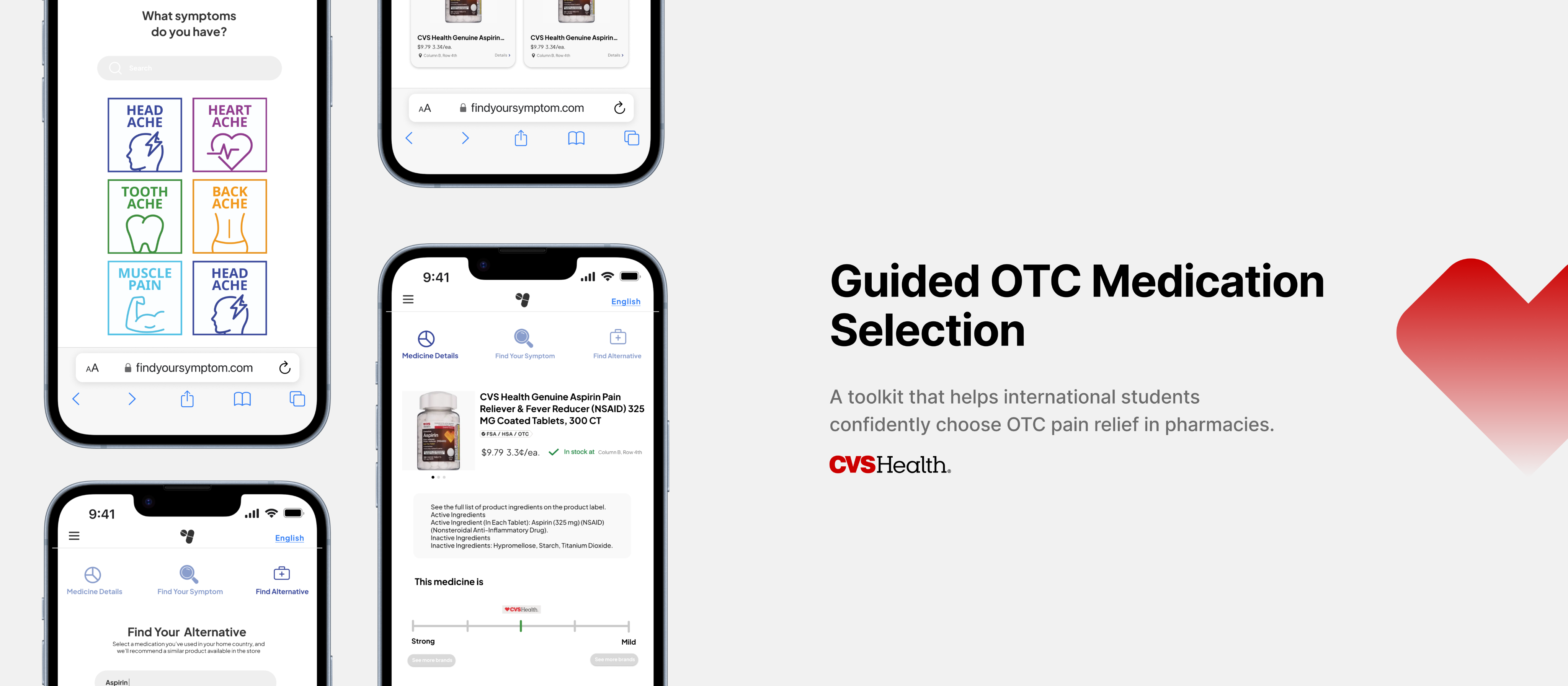
User Research, UX Design, UI Design
Timeline: Sept – Dec 2024
Tools: Figma, Adobe AI
Context
In the United States, the high cost of prescription medication leads many people to rely on over-the-counter (OTC) options. However, for international students and non-native English speakers, choosing OTC pain relievers can be confusing and stressful. This project explores how design can reduce uncertainty and support safer medication decisions at the point of purchase.
The Problem
Many non-native English speakers feel unsure when selecting OTC medication in pharmacies. Complex labels, unfamiliar brands, and safety concerns make it difficult for users to confidently choose products that meet their needs. These challenges often lead to hesitation, incorrect usage, or reliance on familiar products without full understanding.
Research & Insights
We conducted interviews and workshops with international students and non-native English speakers, and reviewed existing OTC medication materials. The research focused on how users navigate pharmacy shelves, interpret labels, and make decisions at the point of purchase.
Problem Statement
How might we make choosing over-the-counter medication safer and less overwhelming without adding unnecessary complexity?
Design the Journey
Traditionally, users enter the pharmacy, locate a medication first, and then try to confirm whether it fits their needs by reading labels. Our design reframes this flow by starting from symptoms, guiding users to relevant medication categories, and then offering clearer recommendations to support safer decisions.
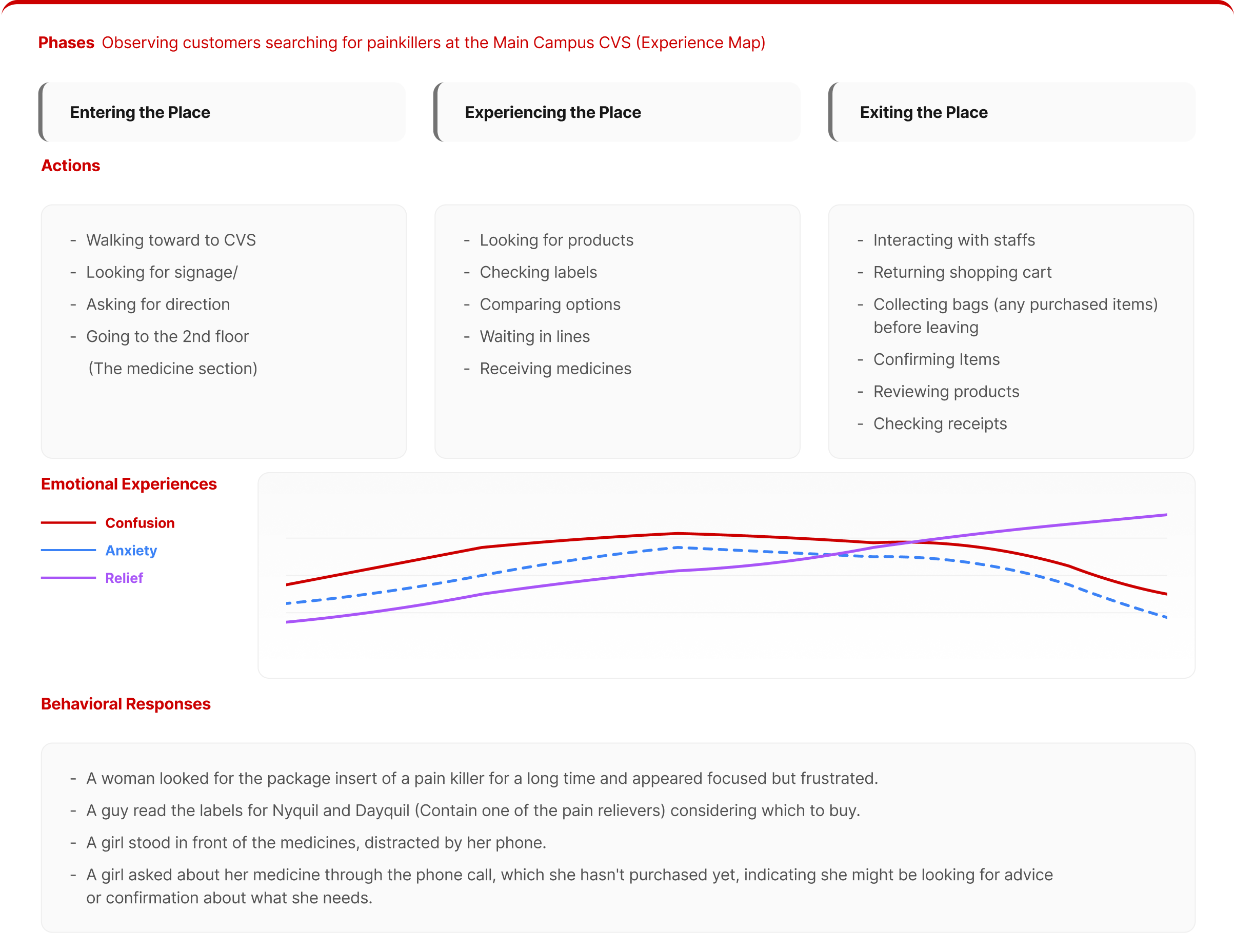
Original Flow
Enter store

Locate medication
Interpret labels
Compare ingredients
Feel uncertain
New Flow
Scan QR code

Identify symptoms
Narrow options
Receive guided recommendations
Design Outcomes
Based on the research insights, we proposed a dual-solution system that combines a physical booklet and a mobile app. The booklet supports quick in-store decisions, while a QR-linked app provides optional, multilingual information without overwhelming users.
01
Scan QR Code

02
Identify symptoms
03
Narrow options
04
Receive guided recommendations
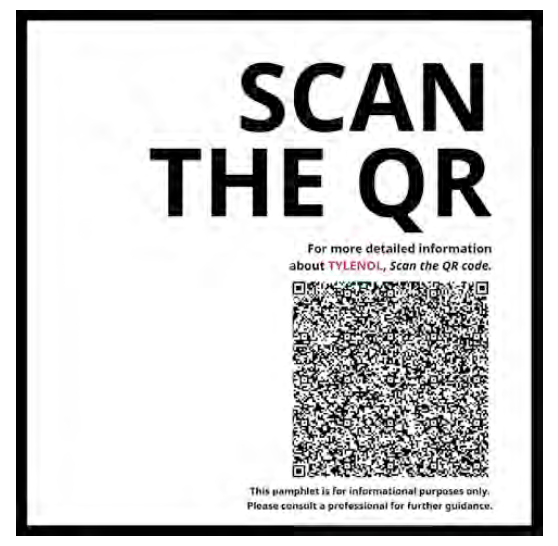
01 Scan QR Code
A fast, in-store reference booklet that helps users identify symptoms and narrow medication options.

01
Scan QR Code

02
Identify symptoms
03
Narrow options
04
Receive guided recommendations
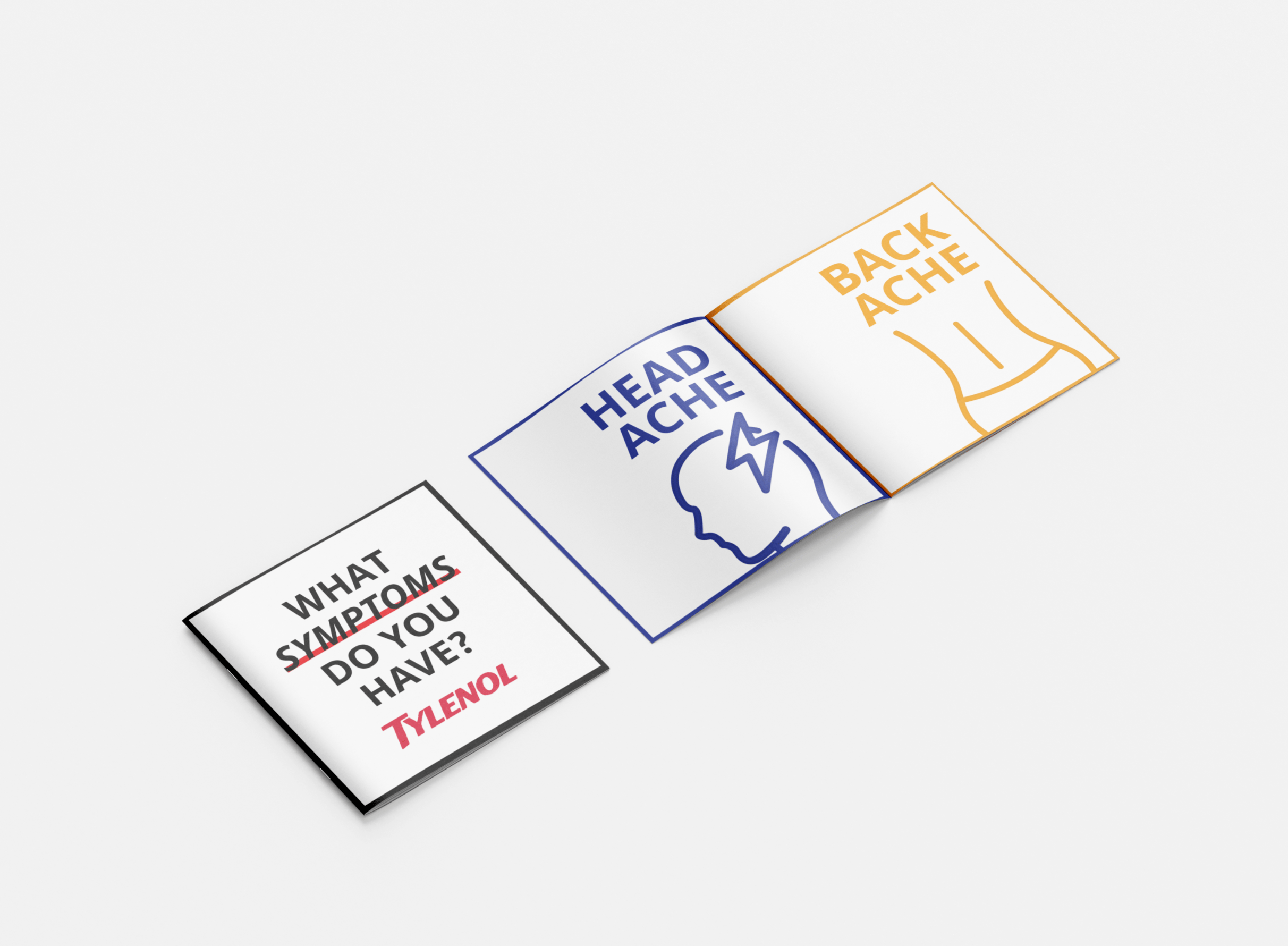
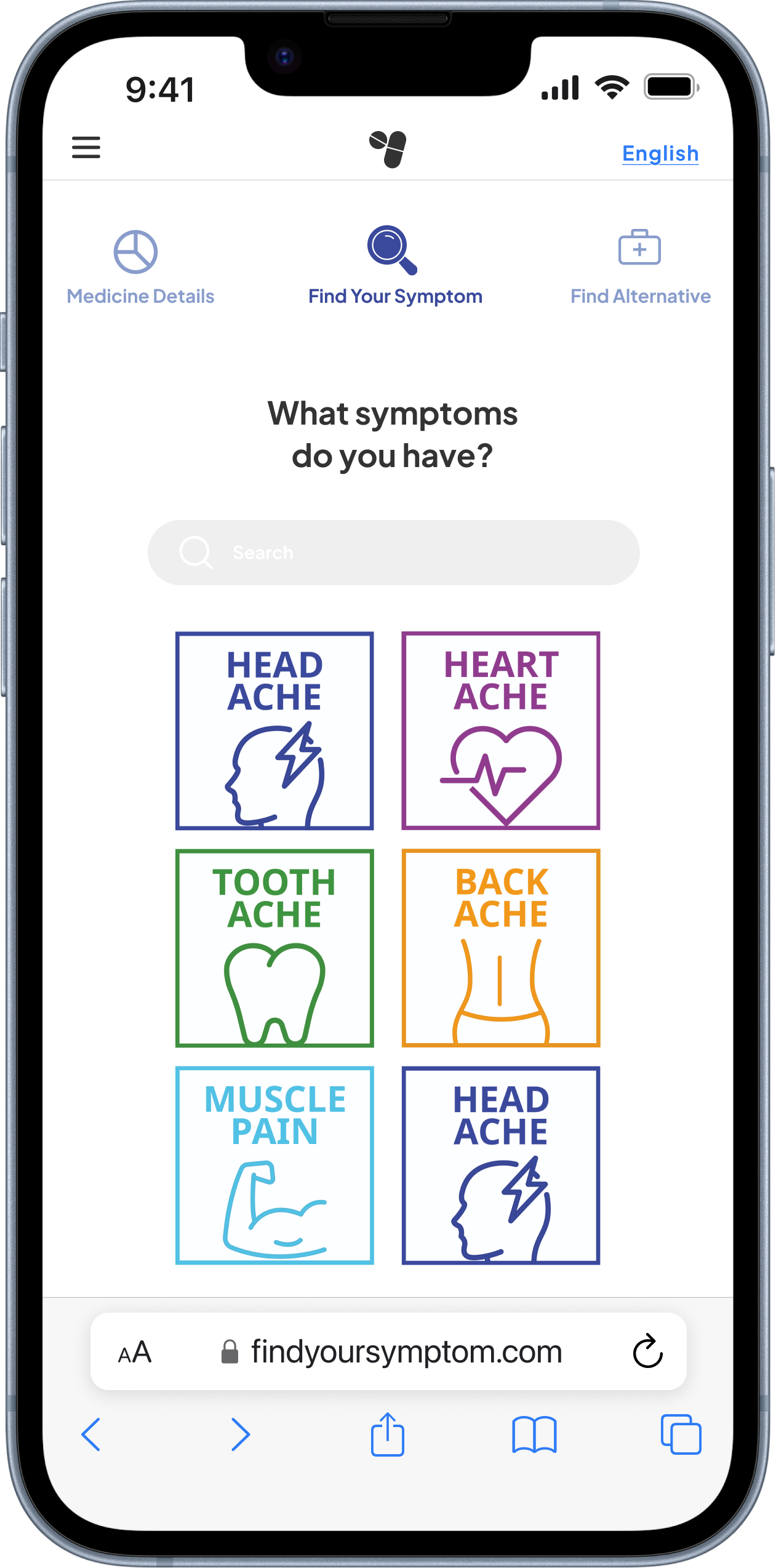
02 Identify Symptoms
Users identify their symptoms through simple visual categories.

01
Scan QR Code
02
Identify symptoms
03
Narrow options
04
Receive guided recommendations
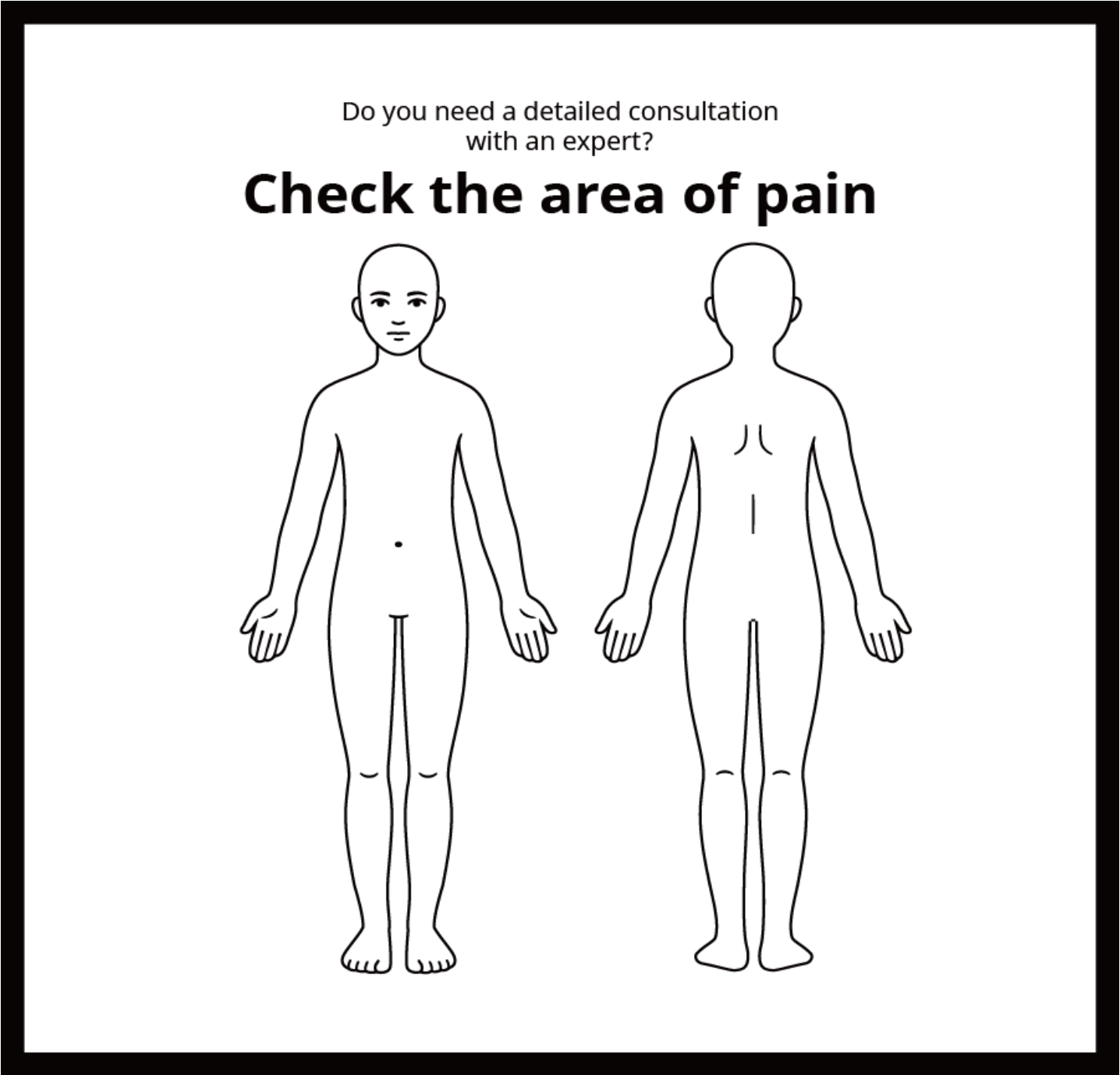
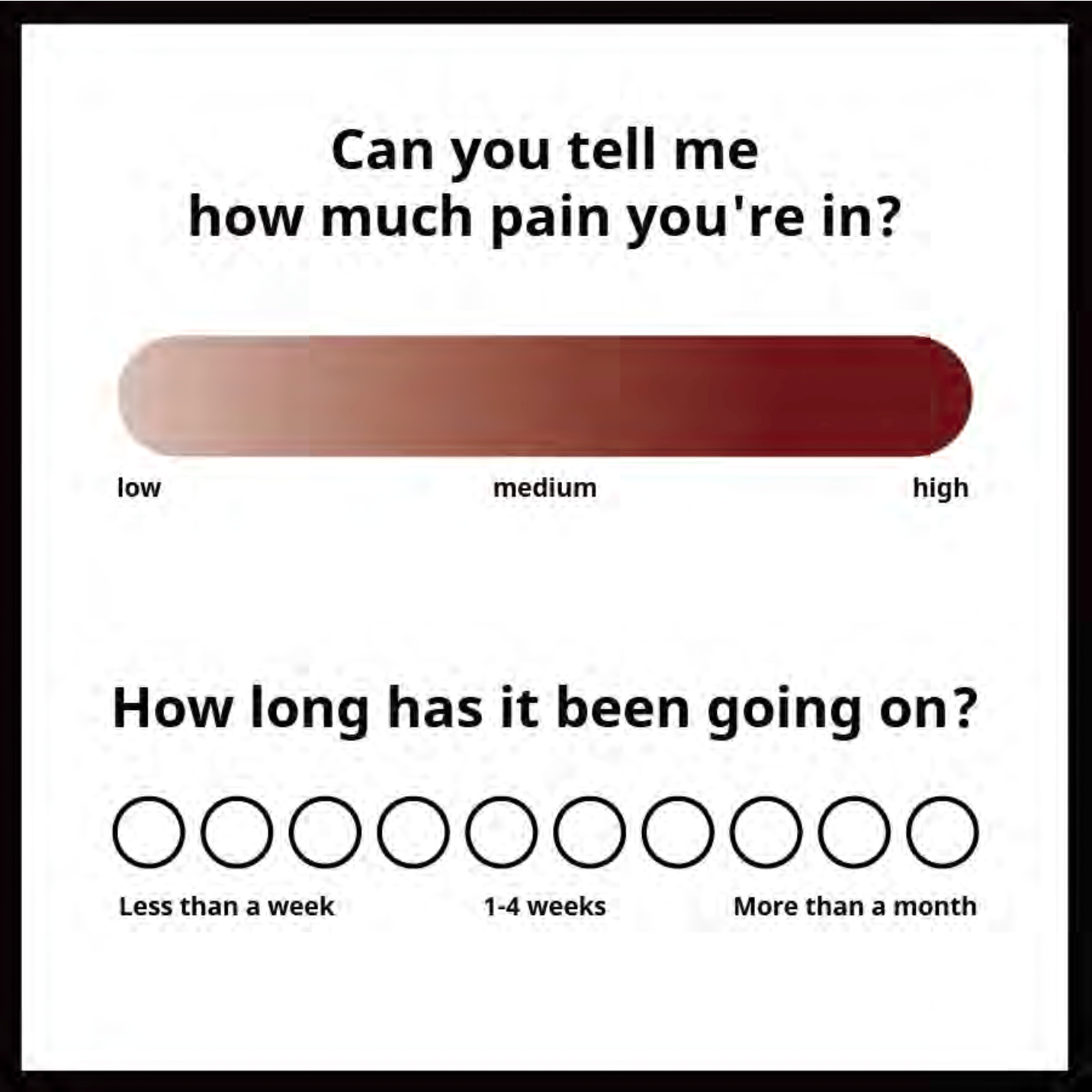
03 Narrow Options
A short set of guided questions helps users narrow down suitable medications based on pain location, duration, and personal needs.
01
Scan QR Code
02
Identify symptoms
03
Narrow options
04
Receive guided recommendations
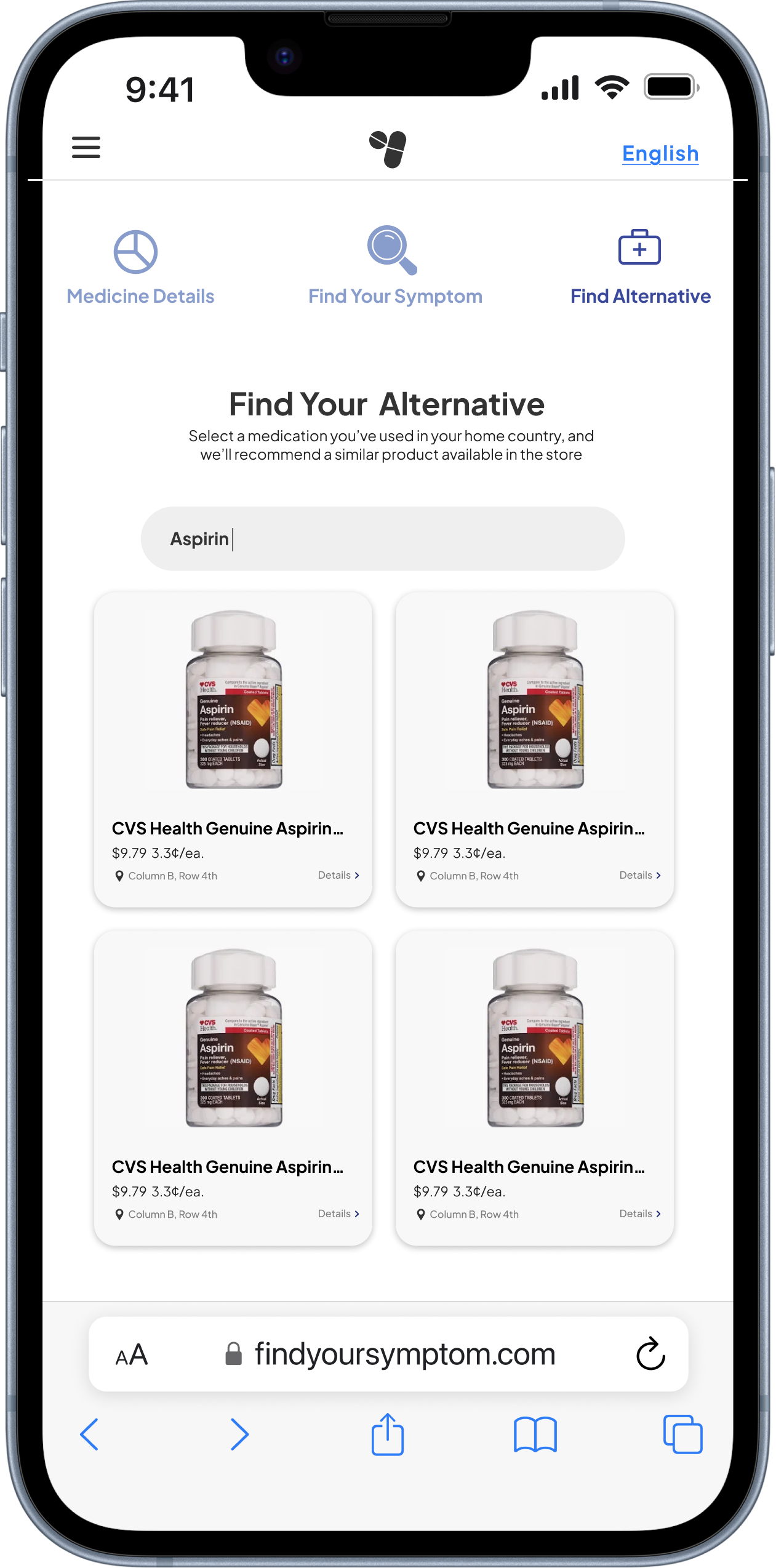
04 Mobile Recommendation Interface
The mobile interface provides clear medication recommendations, allowing users to review product details and alternatives with confidence.
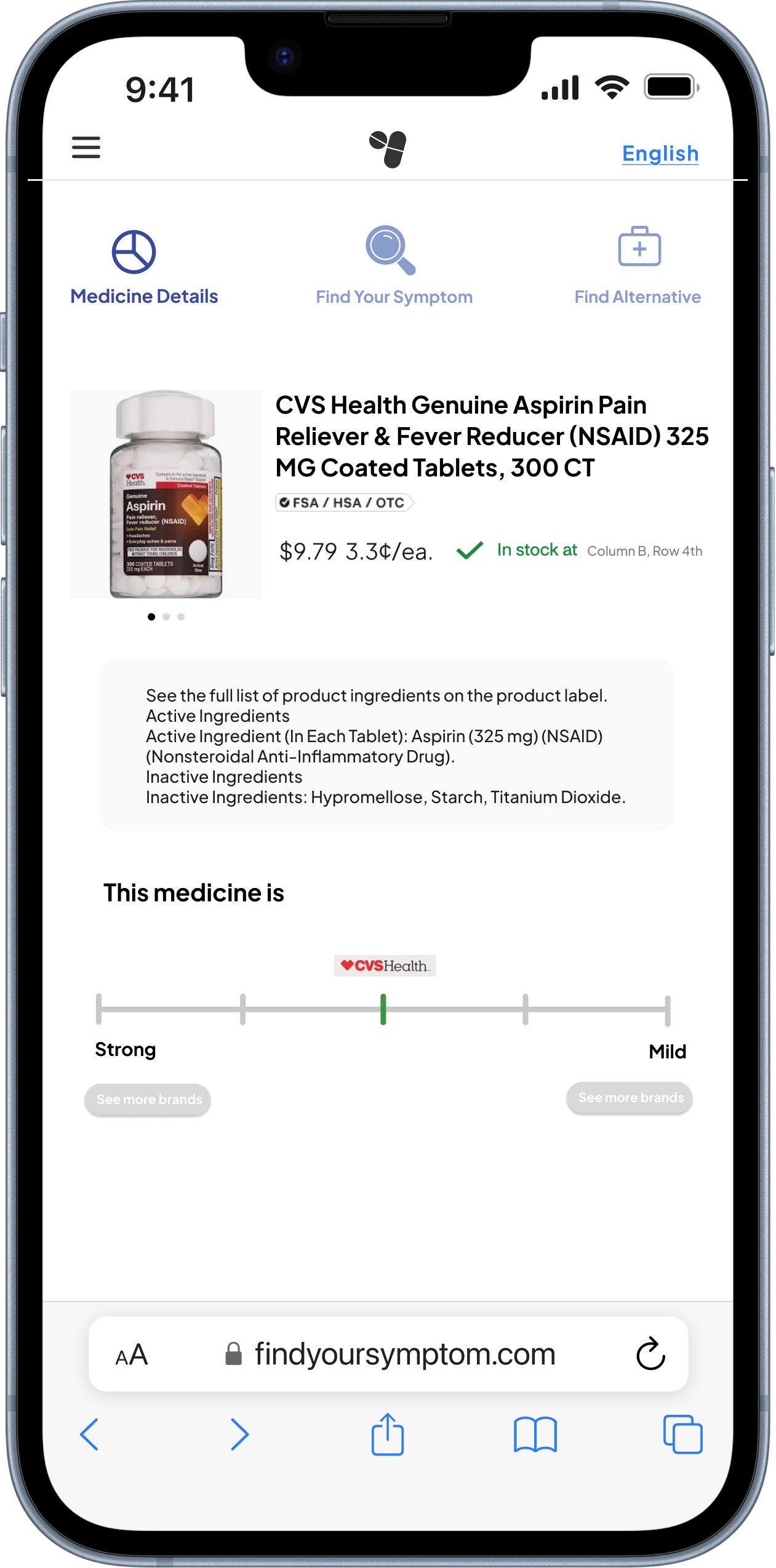
*Use the top-right button to switch languages










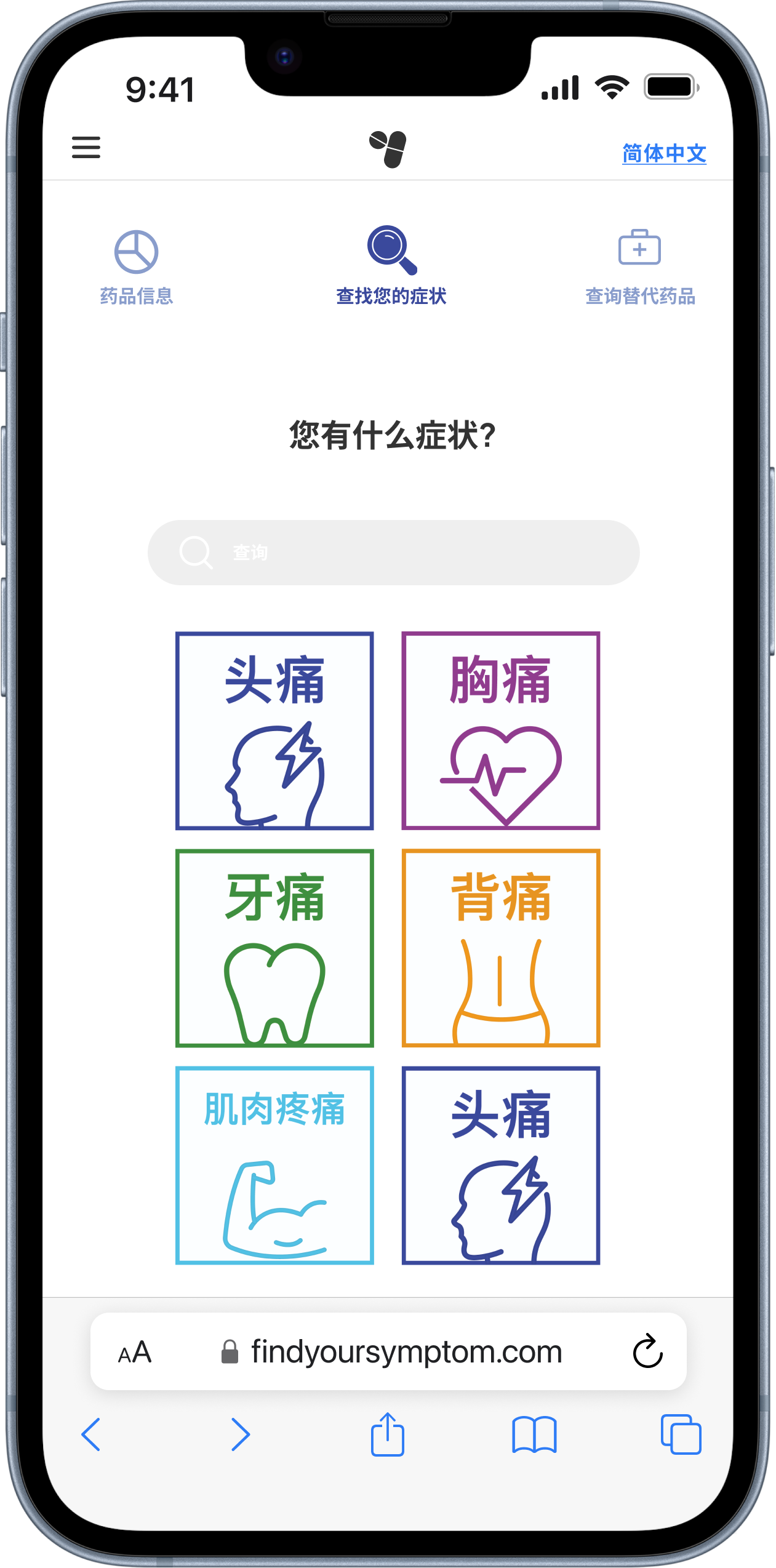
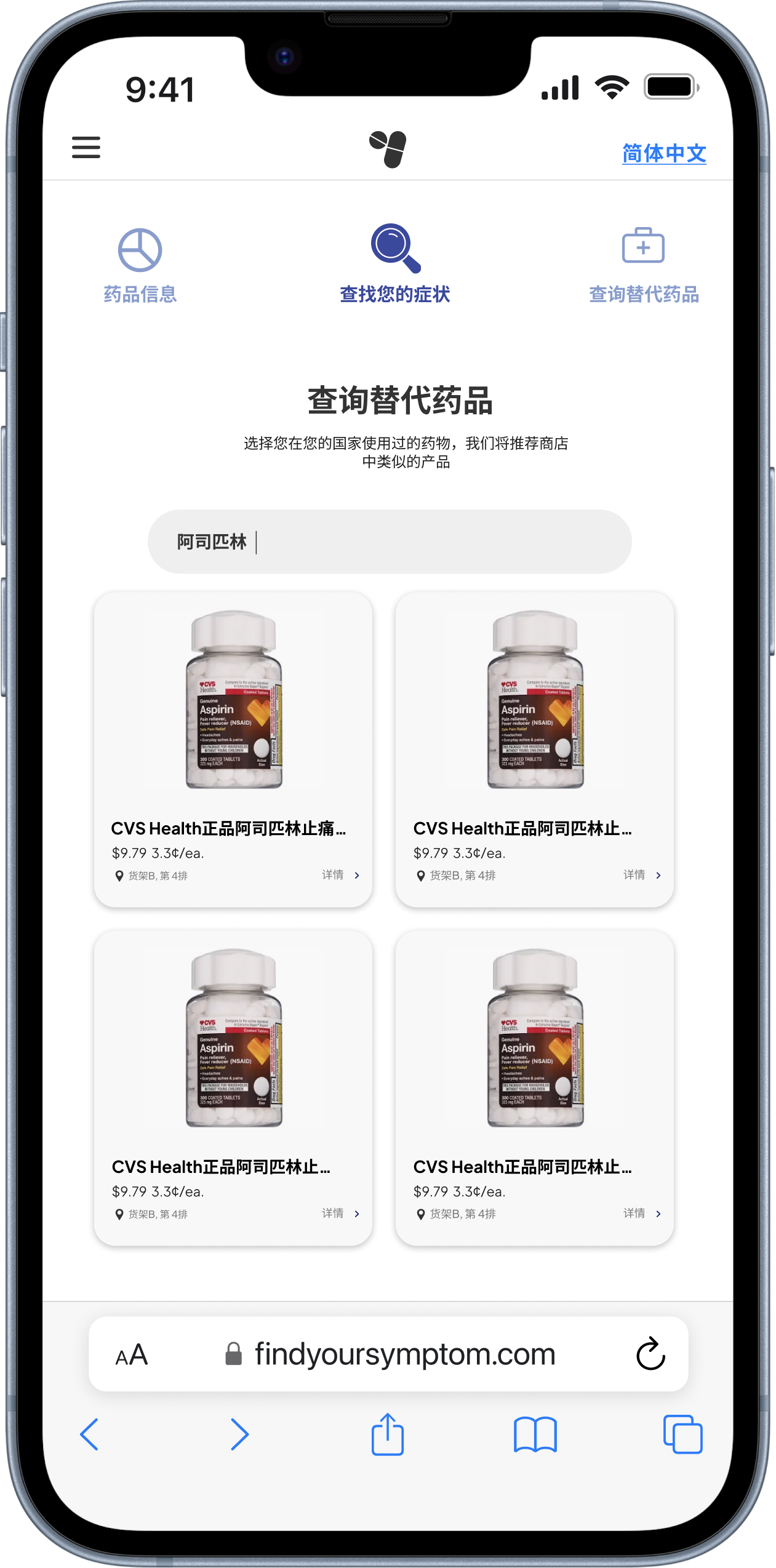
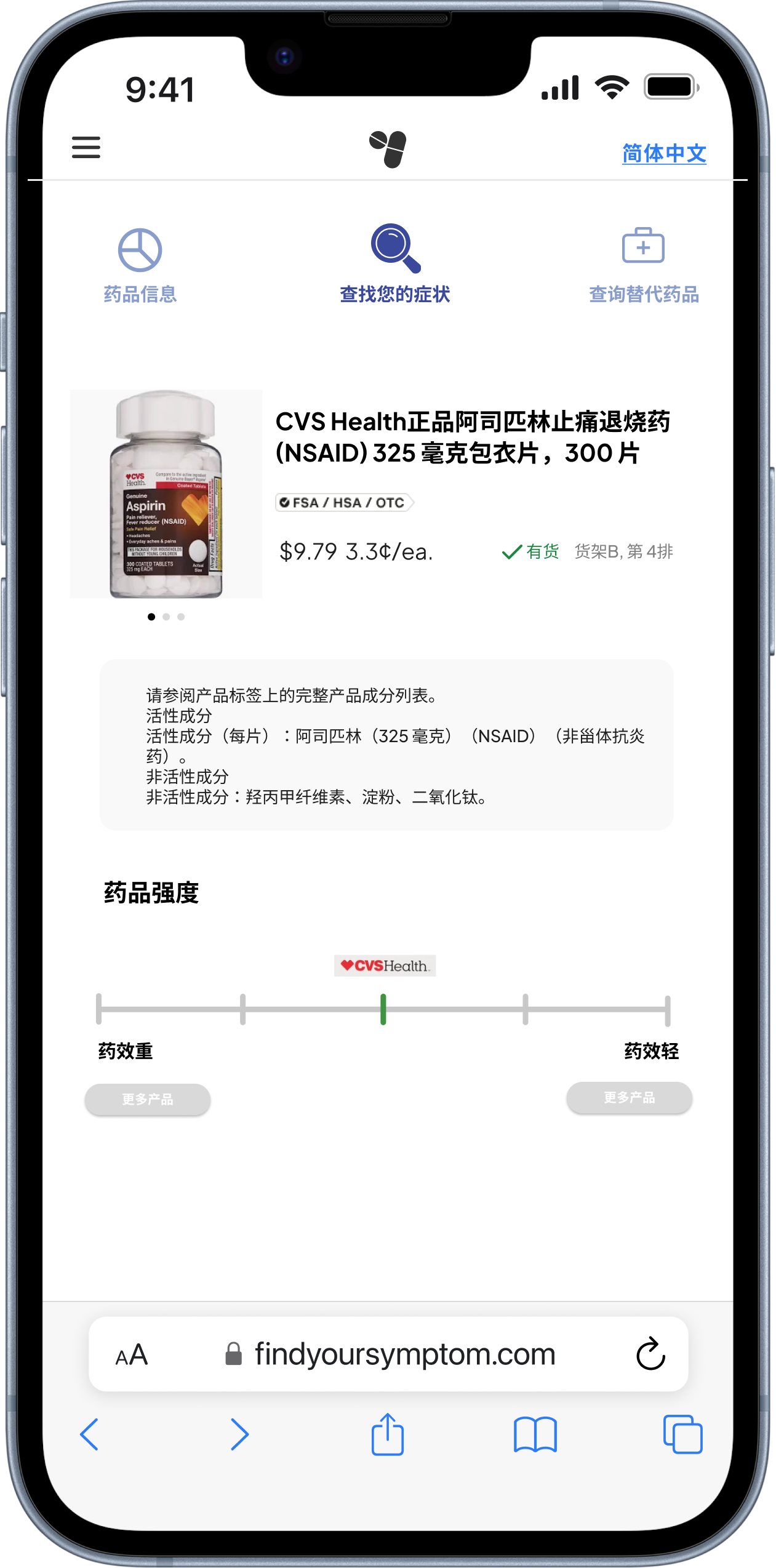
*Example interface in Chinese